Integrated management and intelligence platform for the pharmaceutical industry
Products, regulation and business. All your information, connected.
PharmaTrace 360 is a technology platform designed to connect and manage the regulatory, documentary, contractual and commercial information of pharmaceutical laboratories, turning scattered data into useful information for management and decision-making.
Its aim is to give a complete view of the laboratory's activity, linking products, manufacturers, countries, authorisations, regulatory dossiers, documents, contracts, customers, prices, minimum order quantities (MOQ), commercial offers and business opportunities.
See how it worksRequest a demo
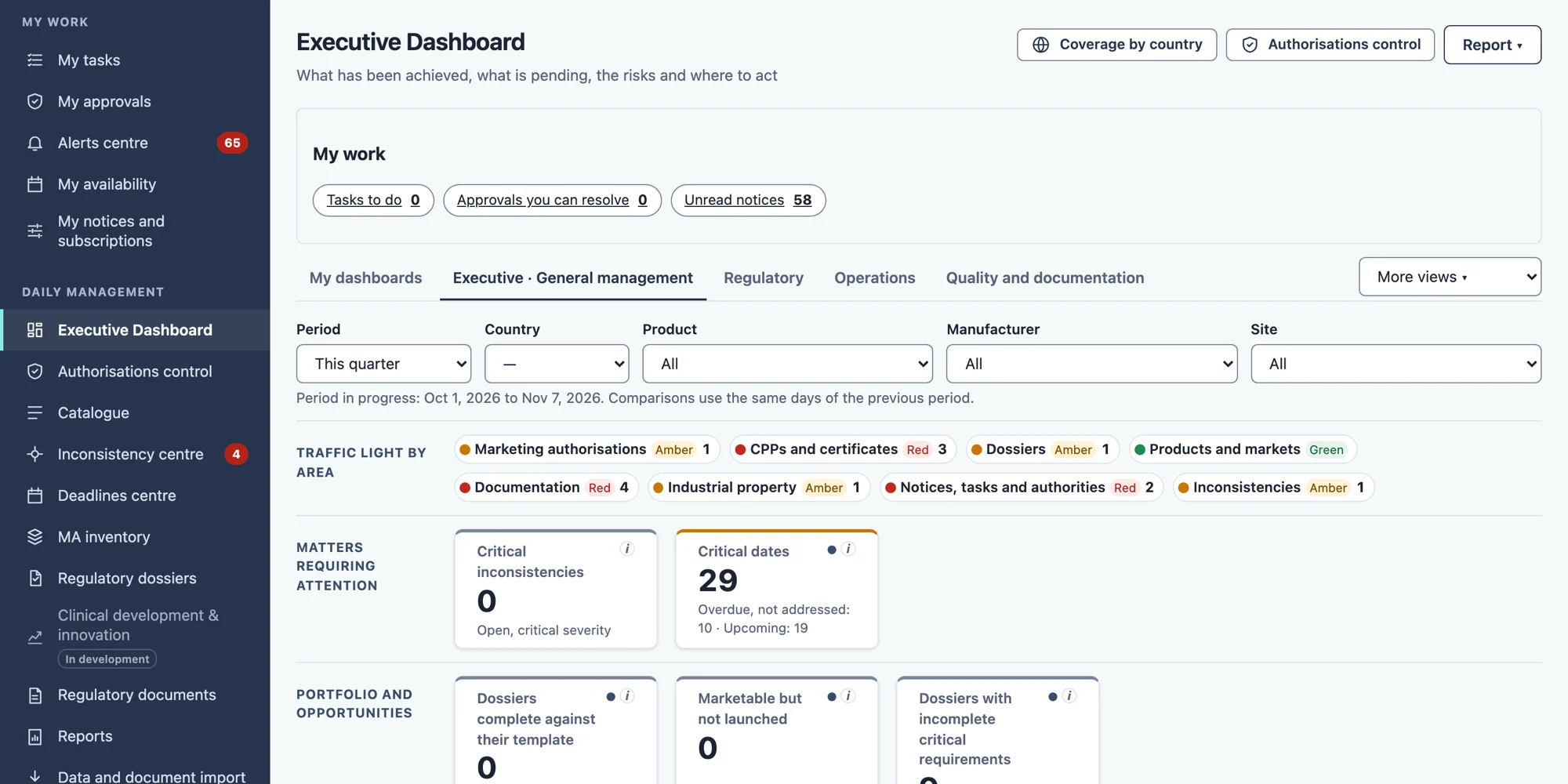
One source. All the information, connected.
Products, presentations, manufacturers, sites, documentation, authorisations, markets, contracts, prices, MOQ and commercial offers, all linked to one another. Data is maintained once and reused wherever it is needed, according to each person's permissions.
Illustrative diagram
Data recorded once and reused in product records, reports, questionnaires and commercial offers.
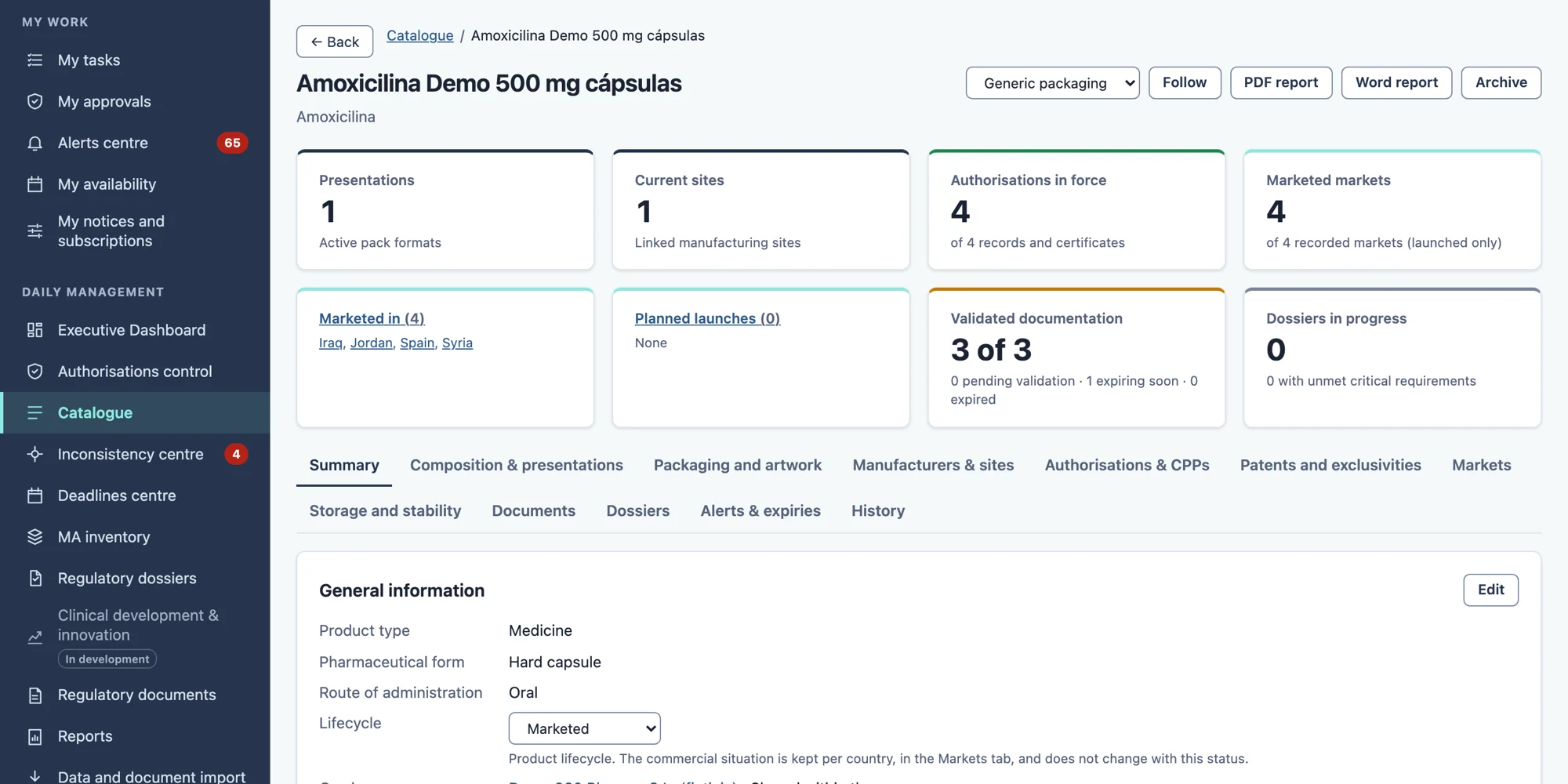
Less rework. More time for what matters.
What changes day to day when information is connected.
Less rework
Data is entered once and reused in product records, reports, questionnaires and offers.
Fewer duplicates, fewer version mix-ups
A single source, and documents with their version and validation status.
Documentation that stays current
New or modified files are picked up and brought in with validations and traceability; you only review what needs attention.
Search by meaning
Find information by what it says, not just the exact words, with its sources and citations.
Custom reports
Your own reports, with the criteria you define. Request them in writing or by voice.
Alerts and early warning
Notices of expiries and pending items before they become a problem.
Faster answers for customers
Questionnaires prepared from information you have already recorded.
A smoother route to market
Regulatory and commercial information in one connected place, with less administrative effort.
Your documents change. Your information stays up to date.
Initial ingestion with review and automatic updates from configured folders, with validations and traceability of changes. It supports Excel, CSV, Word and PDF, with text recognition (OCR) when the document requires it. Only the folders you configure are monitored, not the rest of the computer.
- Route 1
Structured Excel and CSV files
The mapping between columns and fields is configured once and reused in later imports. The system validates the data and flags issues and conflicts. Correct records can be confirmed in batches, without approving each cell.
- Route 2
Word, PDF and scanned documents
The system extracts information and proposes data with its provenance. Review focuses on the proposals, ambiguities and issues that require intervention.
- Route 3
Automatic file updates
Once the source is configured, the system detects new or modified files and incorporates their changes according to the established rules, with validations and traceability. It does not require repeating the configuration or manually reviewing every field at each update.
Illustrative diagram
- 1You update your usual Excelin the configured folder.
- 2PharmaTrace detects the changesnew or modified files.
- 3Validates and incorporatesthe planned updates.
- 4Flags the issuesthat need attention.
Review what needs attention, without reconfirming everything again.
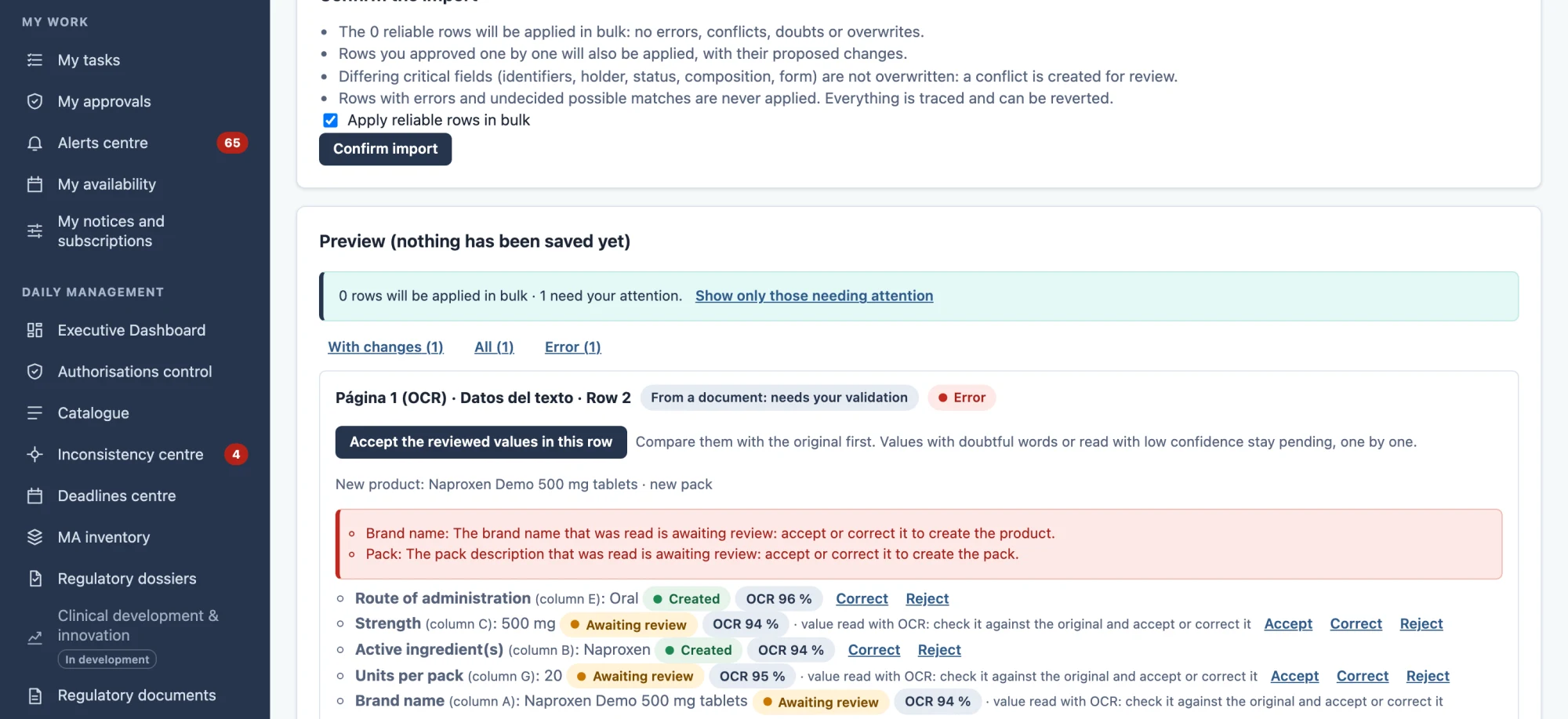
From product to market, in one place.
Six working areas on the same information.
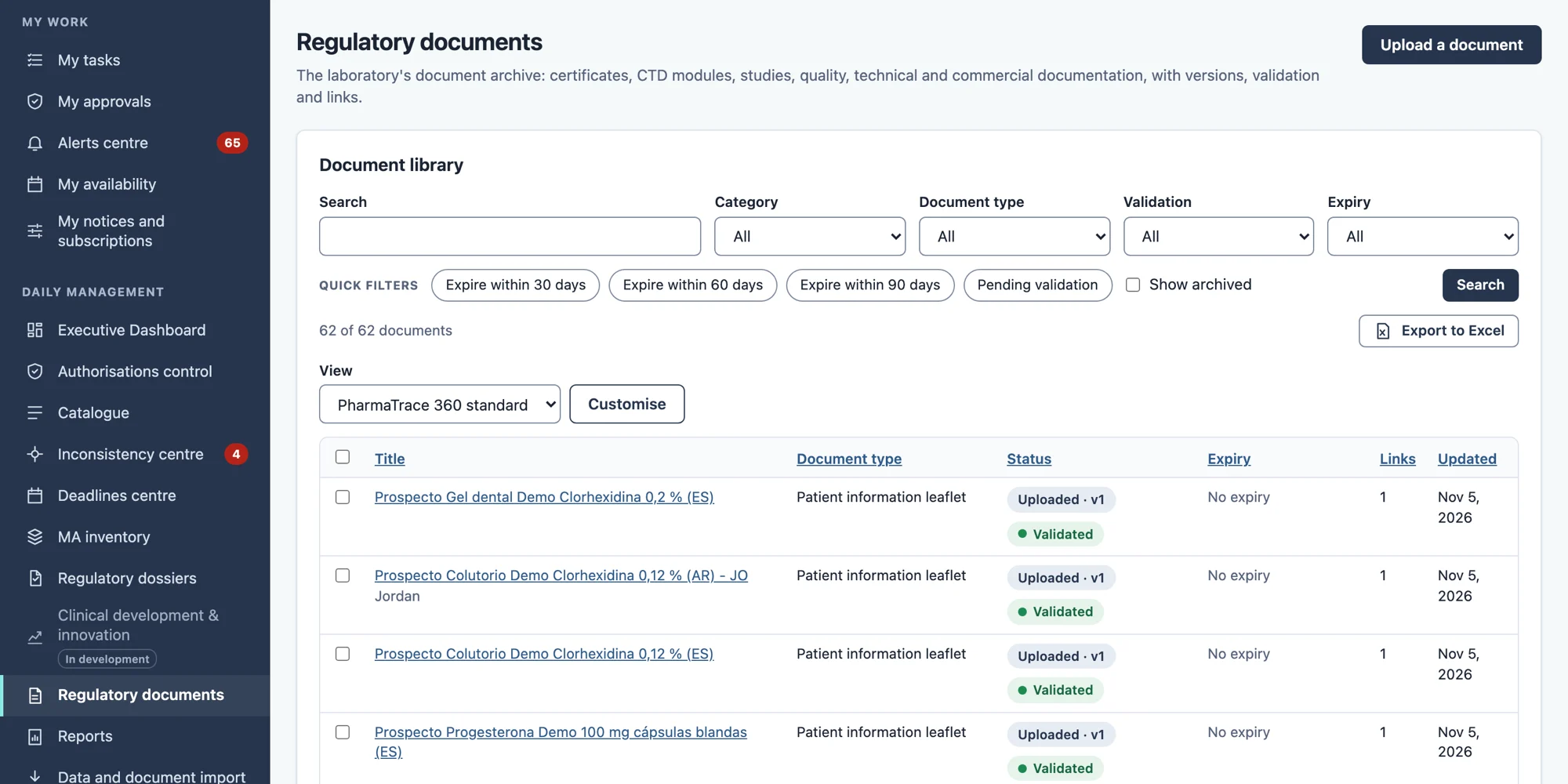
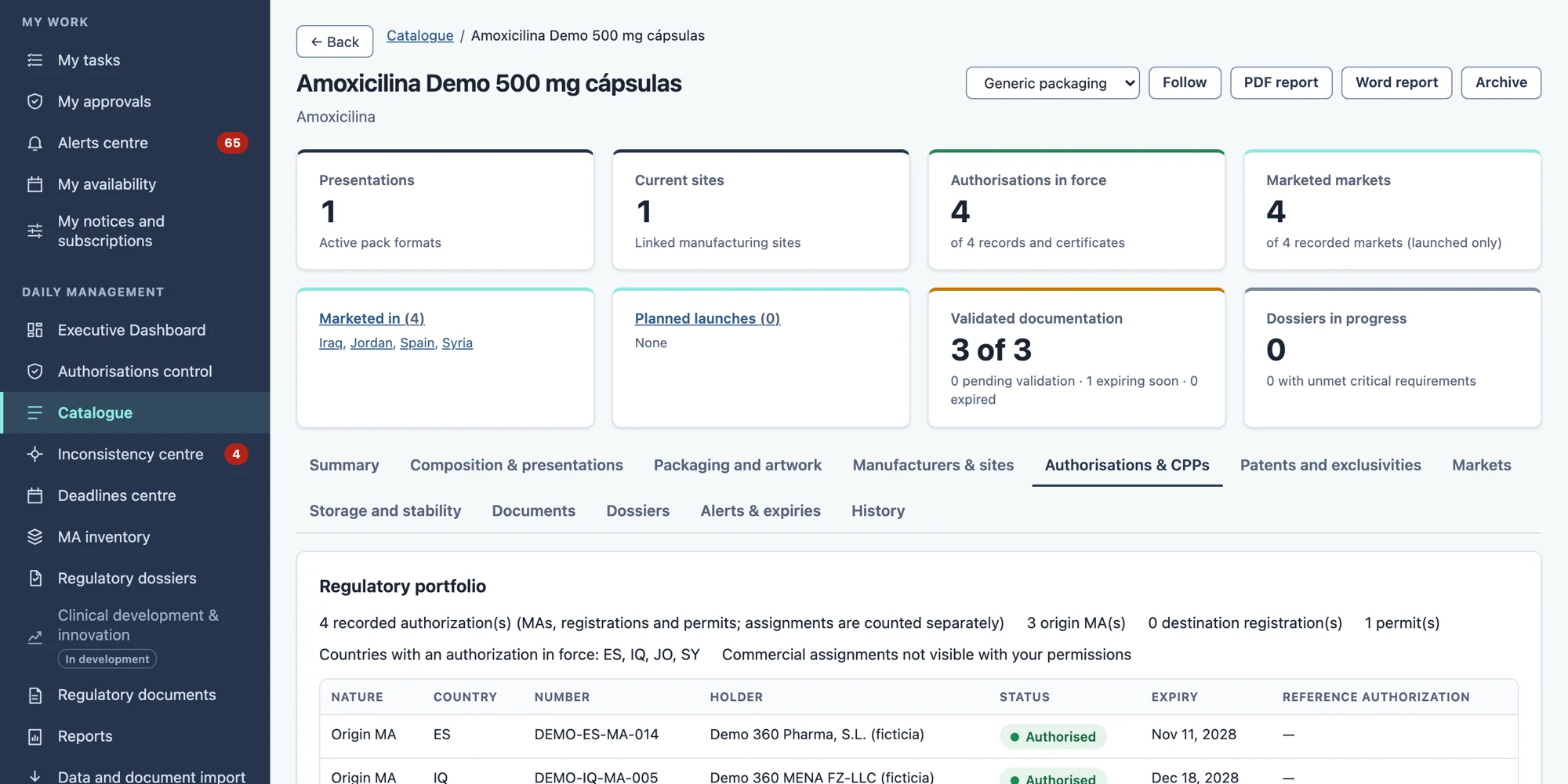
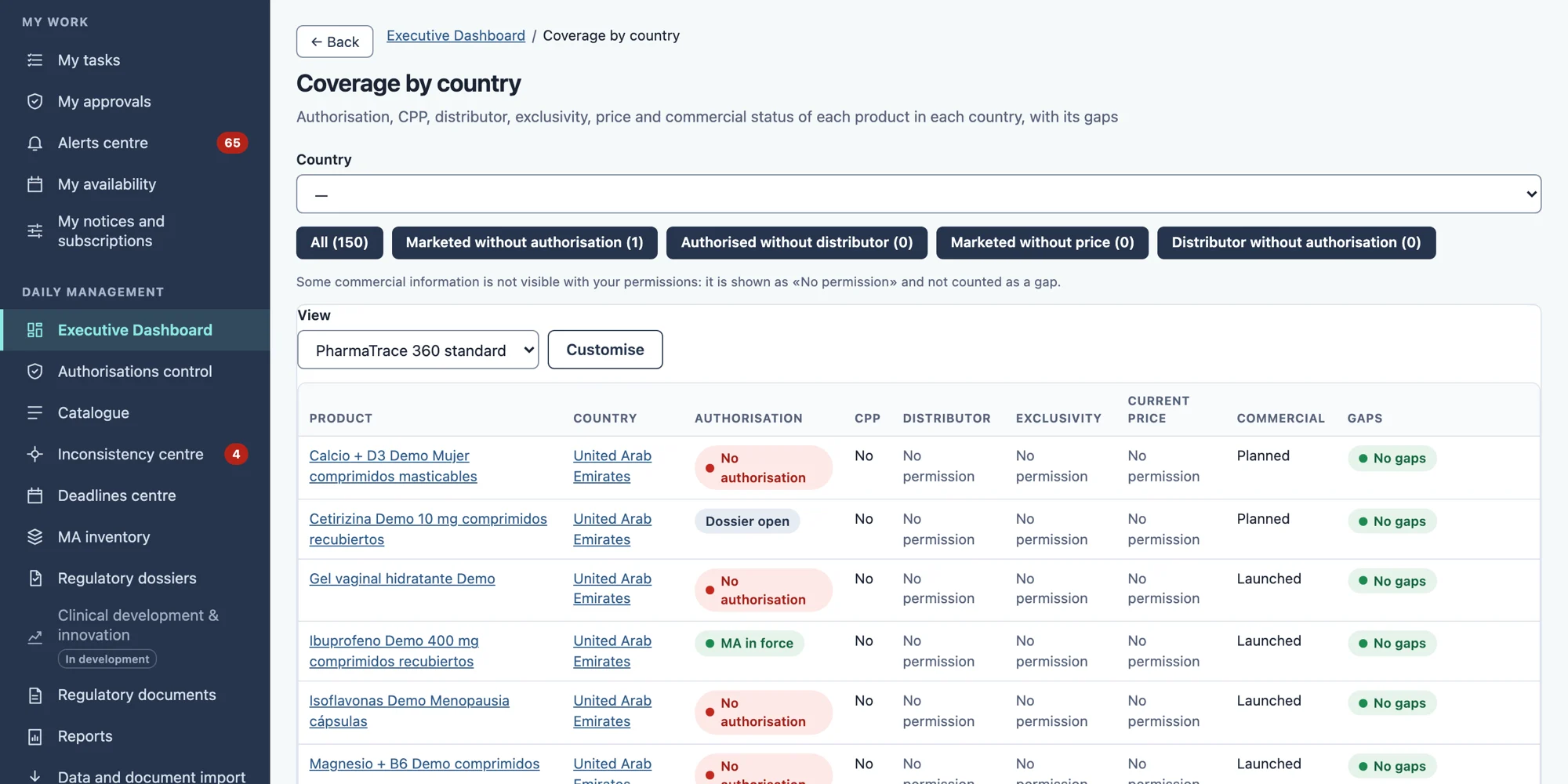
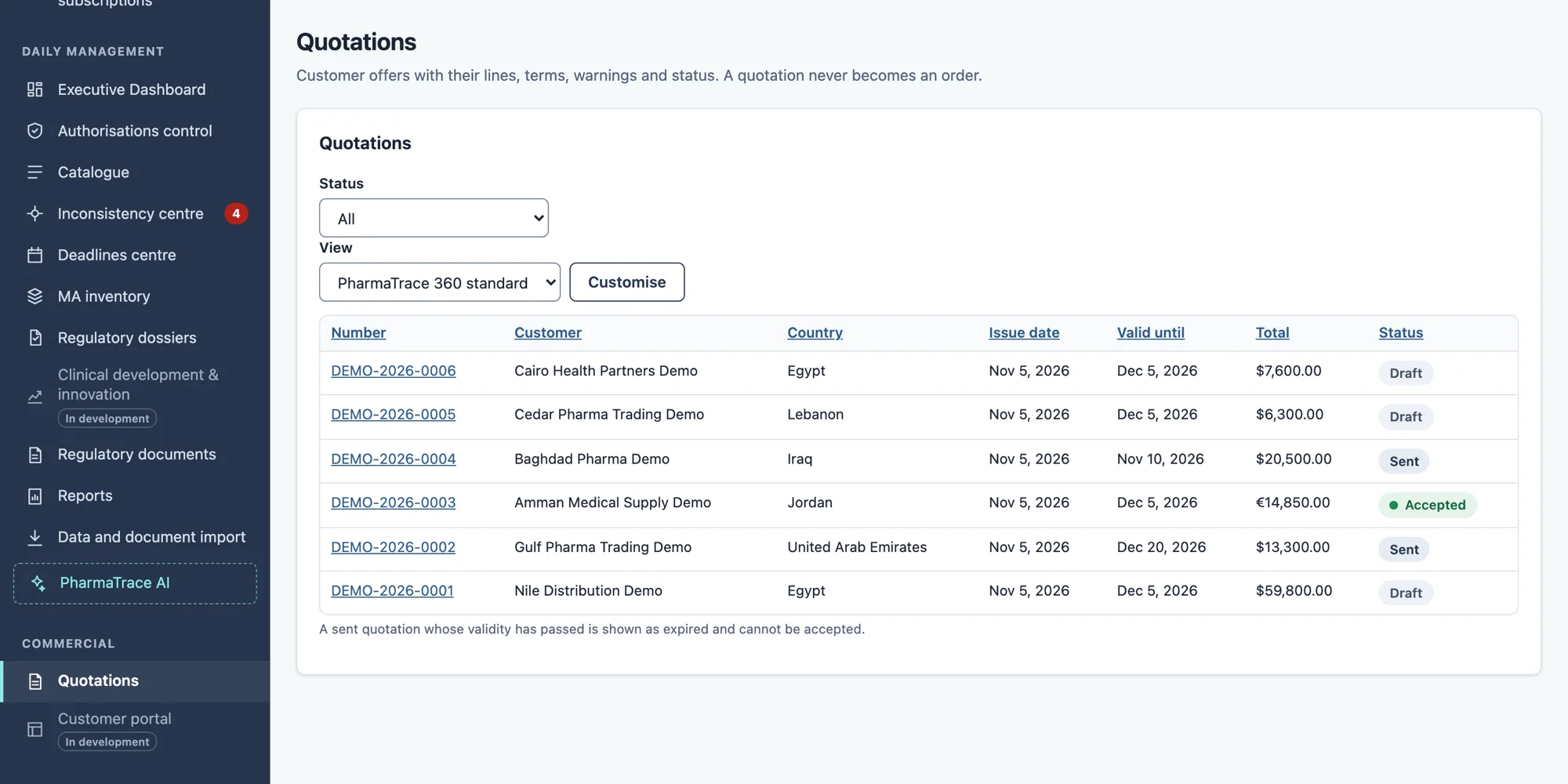
Screenshots show the application with its interface in English. The sample data keeps its original names, some of them in Spanish.
Find by meaning. Check every source.
Find the relevant information in your documents even if you don't remember the exact words. Consult the sources and, if you need it, get a written answer with its citations.
Illustrative diagram
- Your question, in your own words.
- Semantic and vector search across your documents and data, limited to what you are allowed to see.
- Evidence retrieved: document, version, page and citation.
- An answer based on that evidence, or a statement that the evidence is insufficient.
- Search by meaning, not only by exact words.
- Each result shows document, version, page and citation.
- Respects each person's permissions.
- If there is not enough evidence, it says so.
Artificial intelligence under your laboratory's control.
Your questions. Your criteria. Your reports.
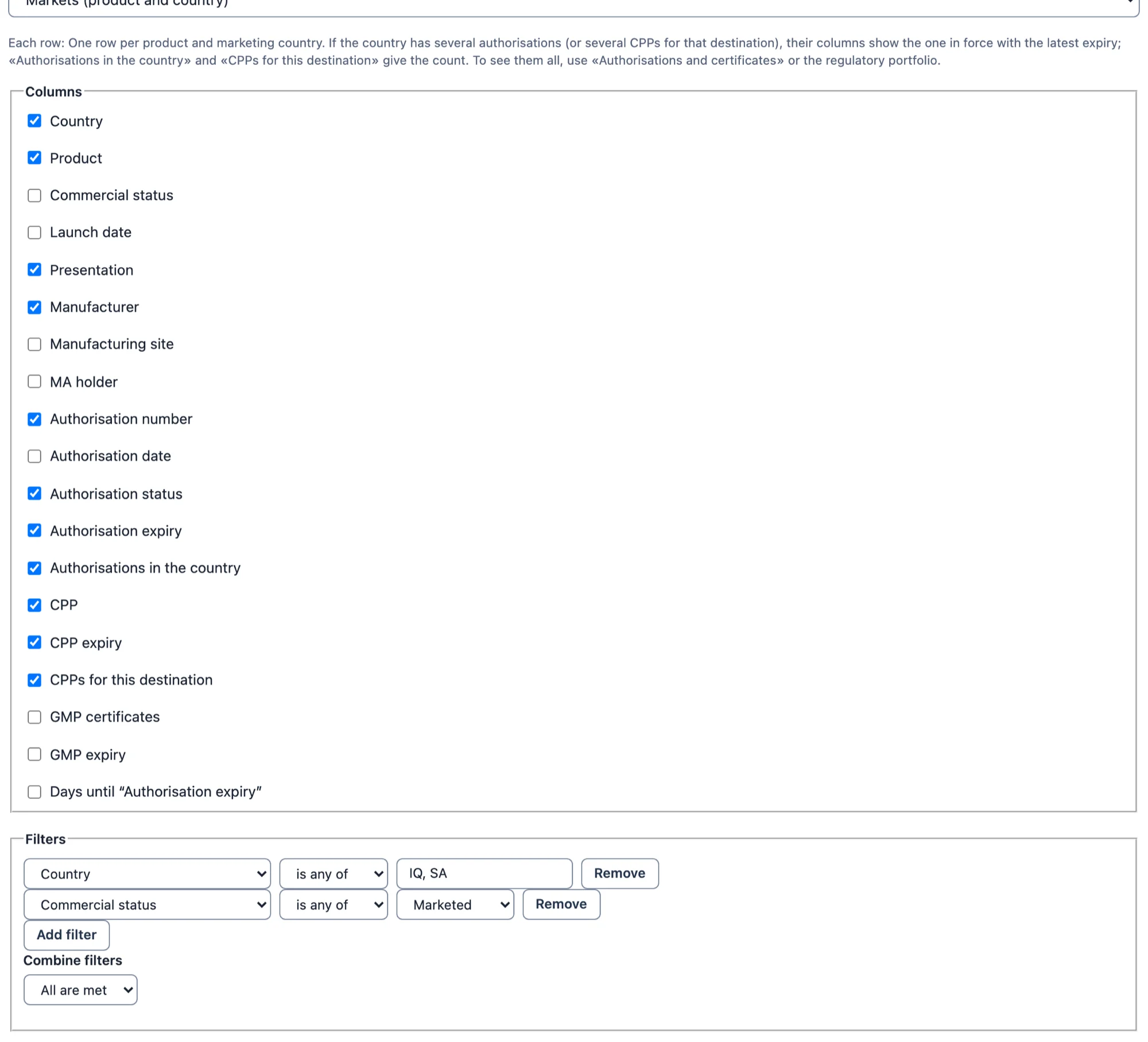
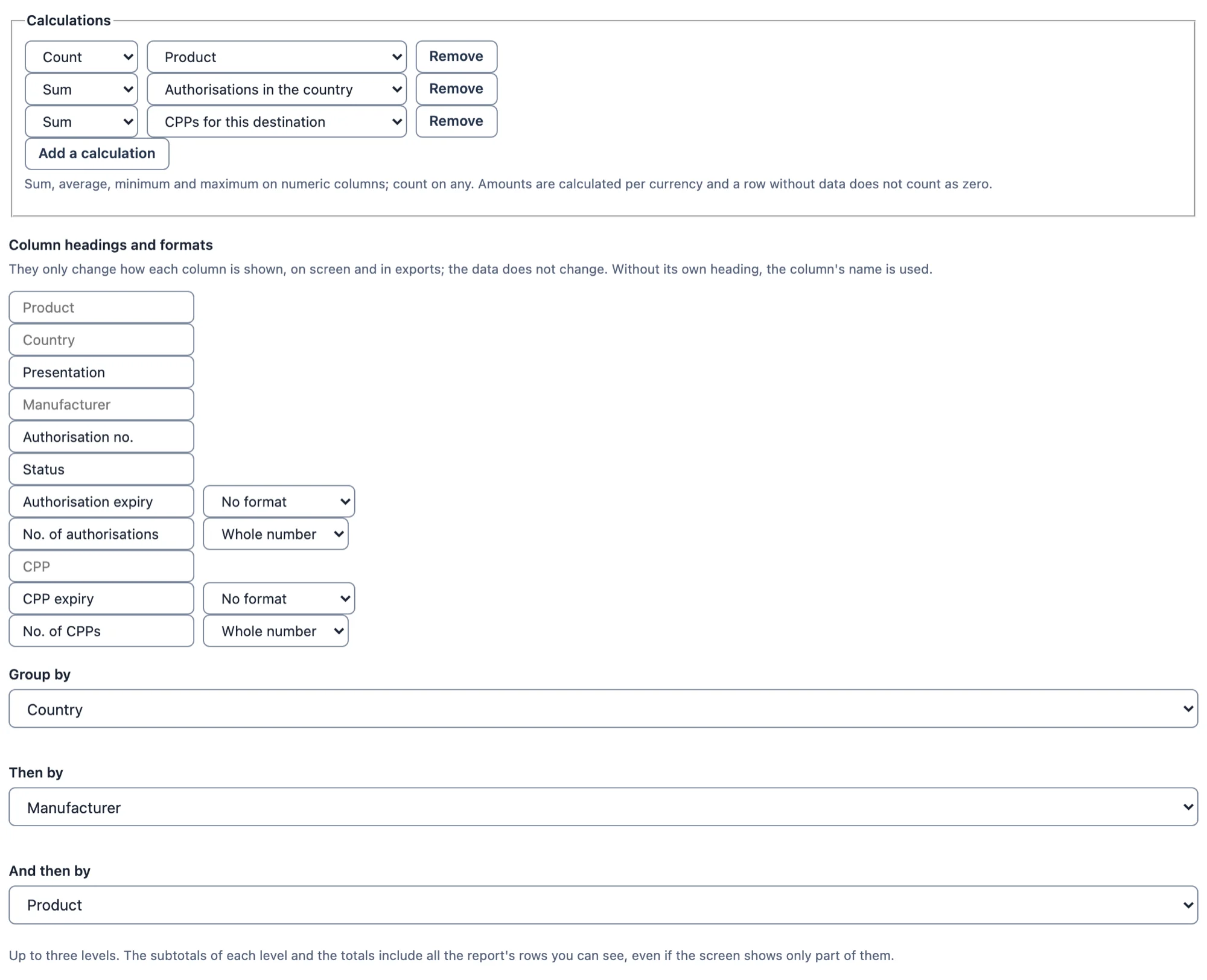
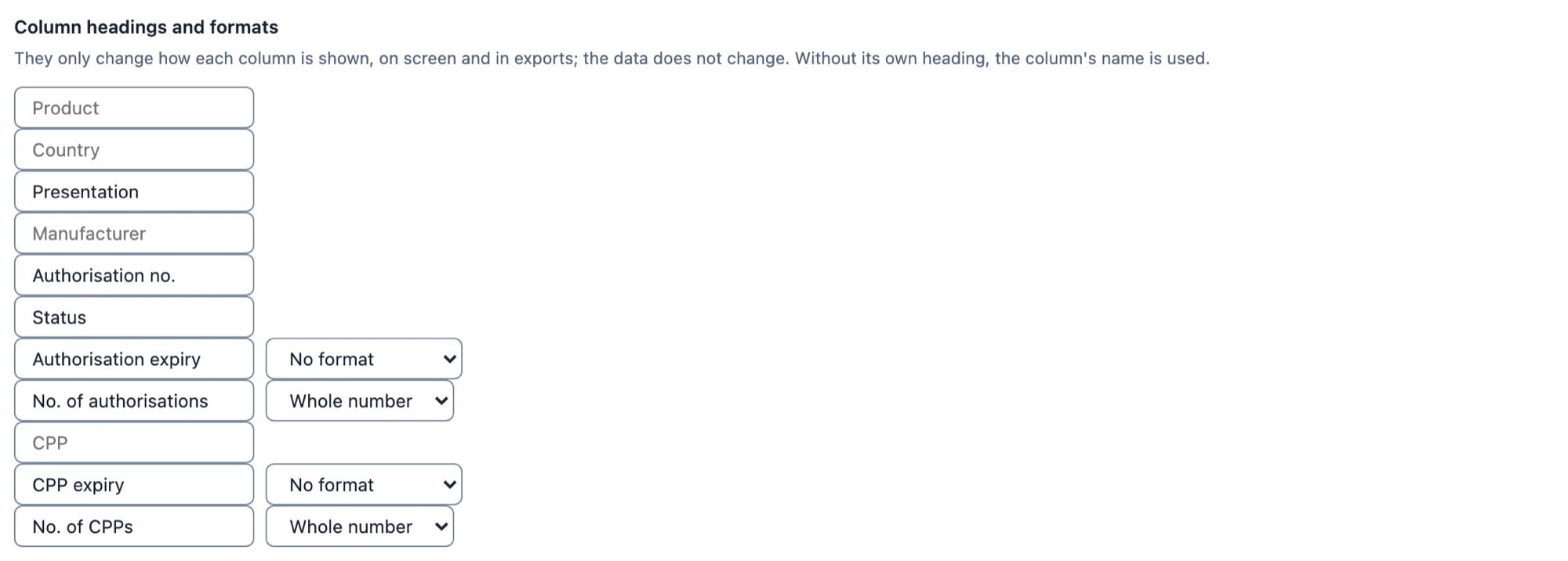
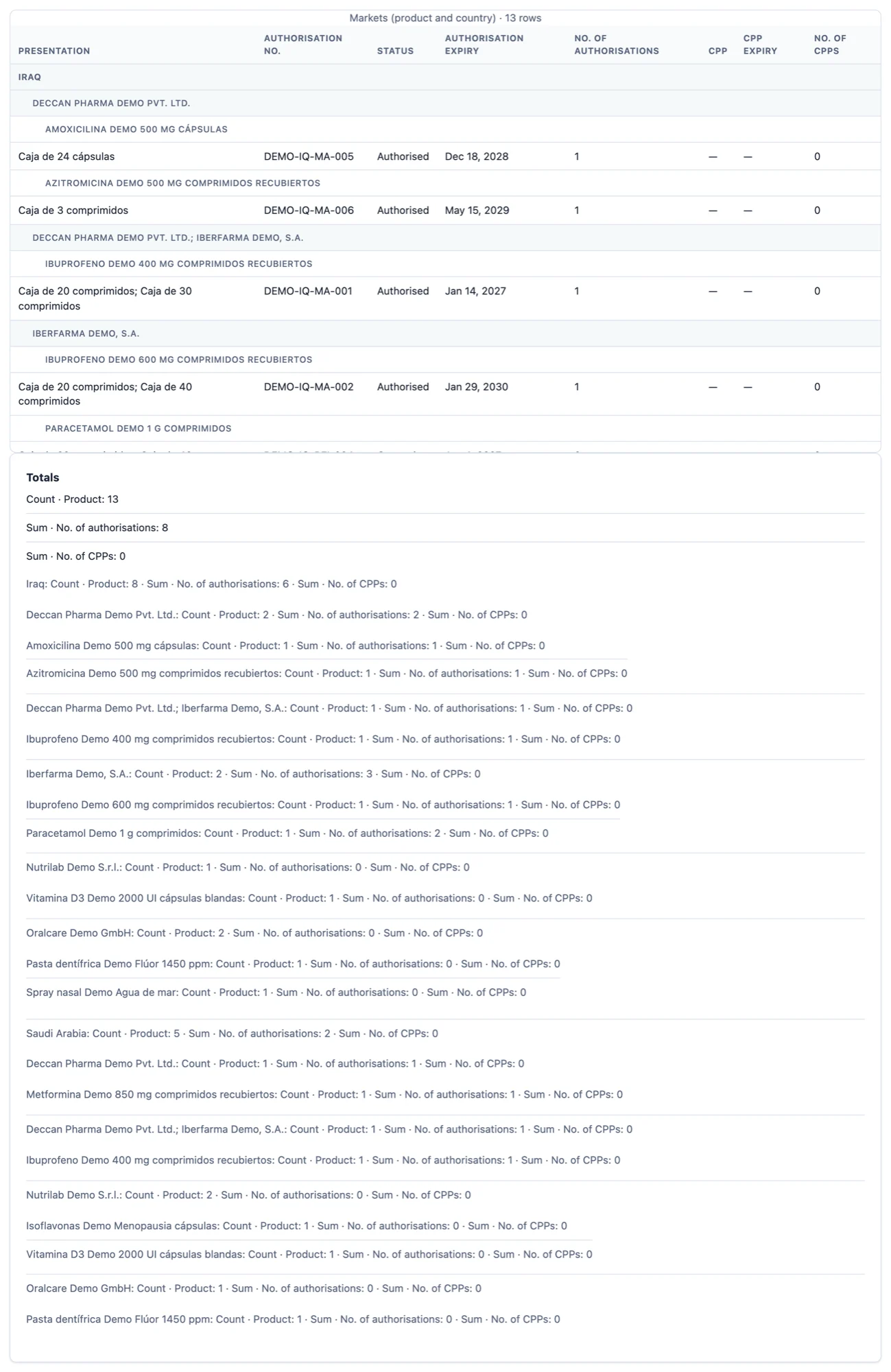
Ask for a report in your own words or design it yourself: choose the dataset, group by up to three levels, define headers and formats, see the preview with counts, save it, share it according to permissions and export it.
Example case: regulatory status of the products marketed in Iraq and Saudi Arabia, grouped by country, manufacturer and product.
Request your reports in writing or by voice.
Describe what you need using the microphone or by typing. The AI interprets your request and lets you review, adjust and export the report.
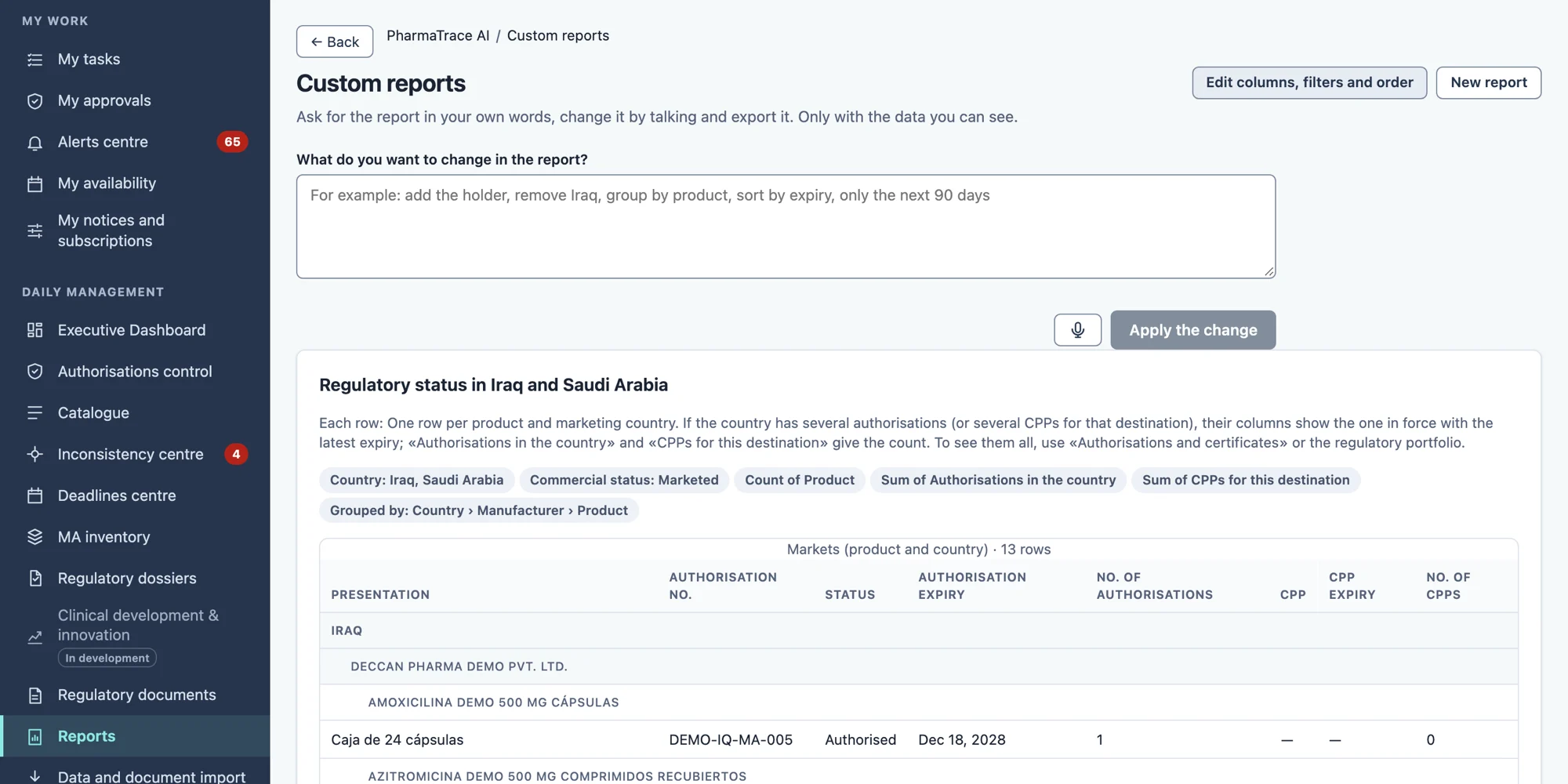
The case shows 13 product–country rows, which correspond to 10 distinct products: the same product can appear in more than one country, and the rows are not added up as if they were different products.
See how it is built

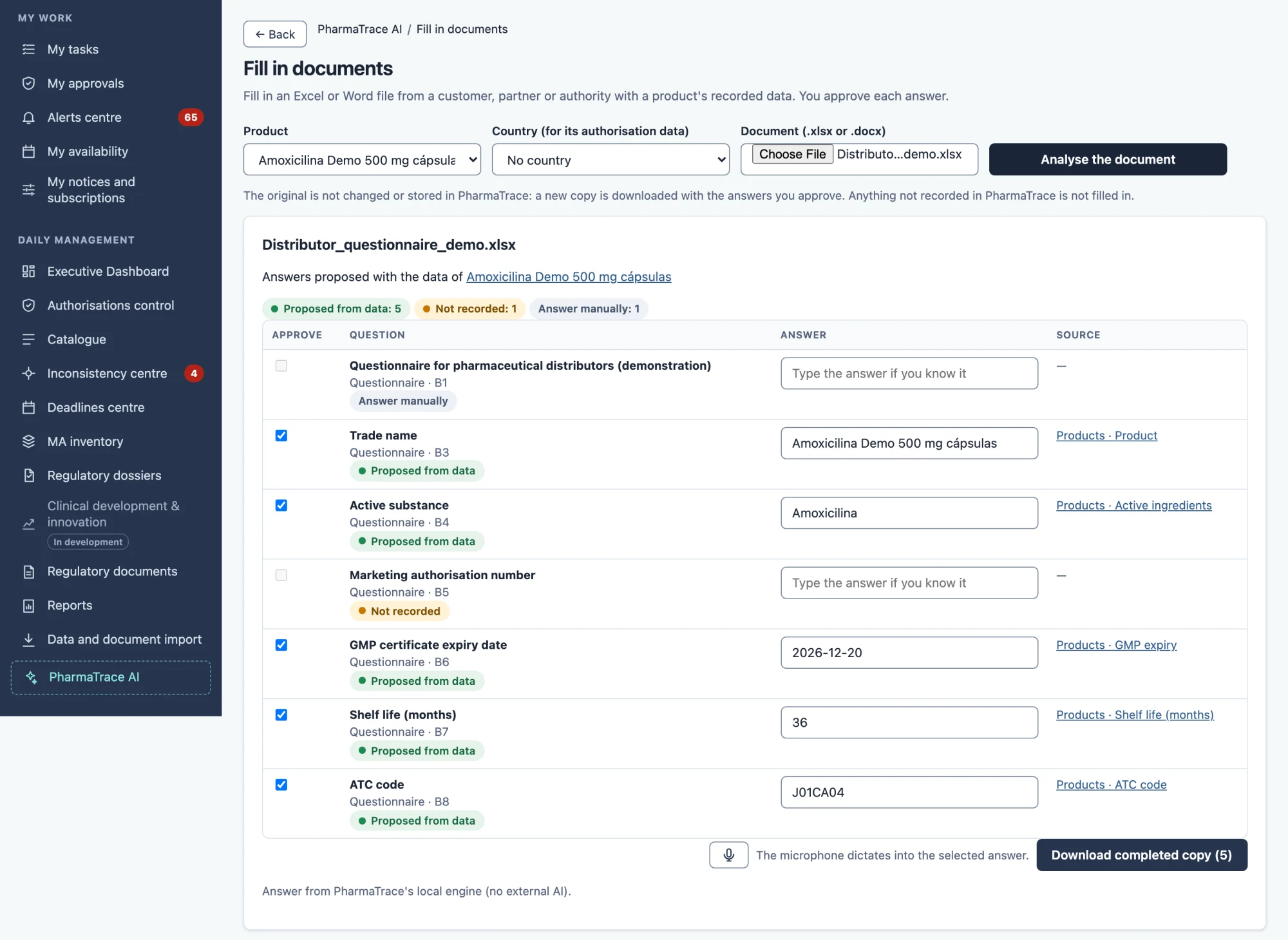
Answers for your customers, using the information you already have.
Upload a customer's questionnaire and PharmaTrace 360 proposes answers using data you have already recorded and are authorised to use. The original is kept unchanged and nothing is used without your review.
Illustrative diagram
- 1Original questionnaireExcel or Word, as the customer sends it.
- 2Proposals with authorised dataAnswers taken from the recorded information.
- 3Pending fieldsAnything ambiguous or without data is flagged to be answered by hand.
- 4Reviewable copyA new copy is downloaded; the original is not touched.
Stay ahead of changes and expiries.
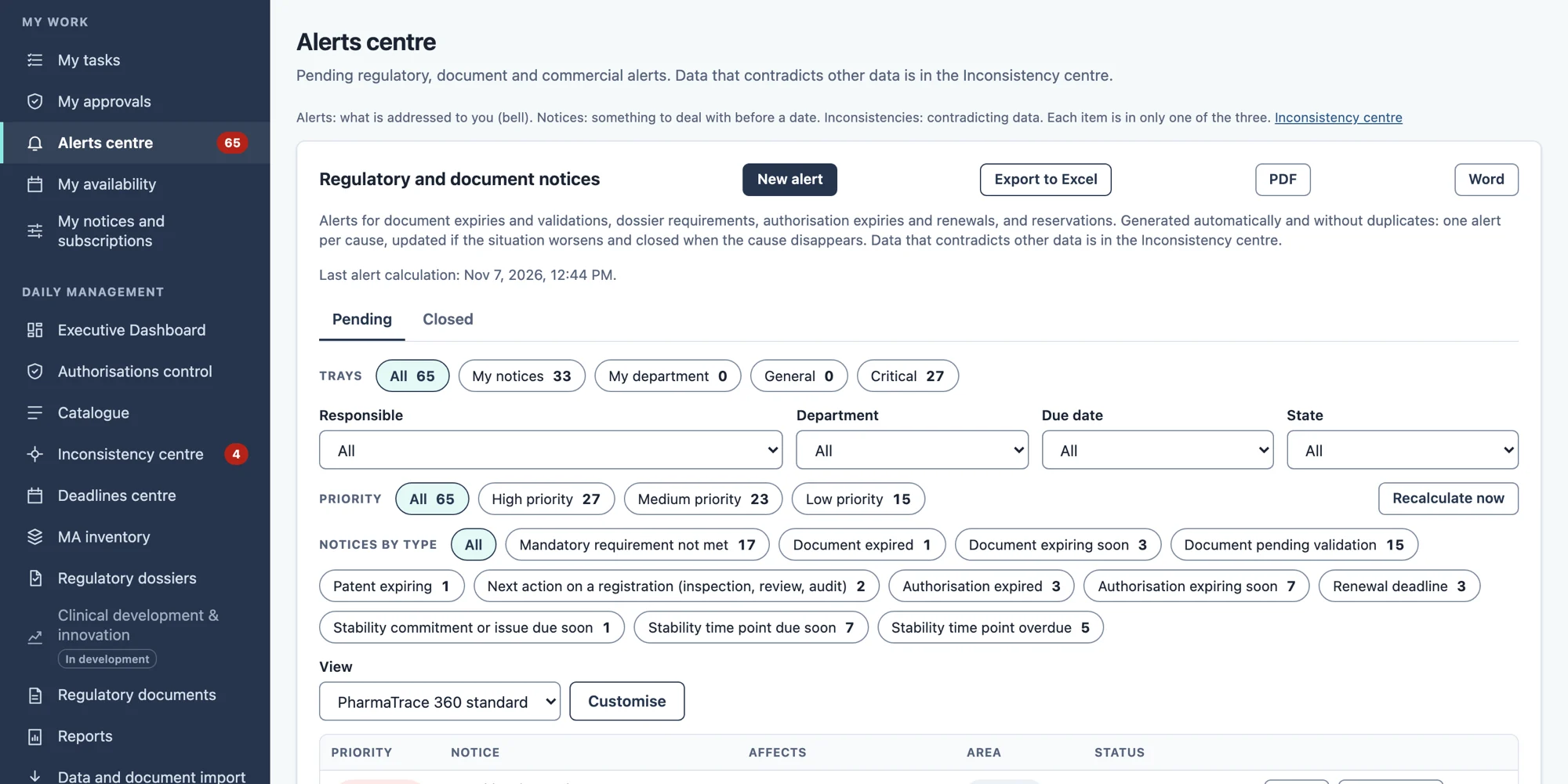
PharmaTrace 360 links information from official sources, such as AEMPS/CIMA and the EMA, to your products, flags possible impacts and sends them as notices to the people responsible. It distinguishes changes in medicines information from regulatory changes.
Medicines information
Changes in medicines records and data published by official sources.
Regulatory changes
Regulatory developments that may affect your products.
Notices and owners
Each notice reaches the person who must act, with its date and follow-up.
The information comes from official sources, but it does not imply endorsement by the authorities, does not cover every case and is not updated instantly.
Your information, under your control.
Permissions by user and department, confidentiality and traceability of operations.
Permissions by user and department
Each person sees and changes only what their role allows.
Confidentiality
Information is treated as confidential and is accessed only according to each person's permissions.
Traceability
Changes are recorded: who, what and when.
Control of AI processing
Search and answers respect the same permissions and rely on your own information.
Start with your own information, at your own pace.
Cloud or customer infrastructure, whichever suits you.
Bringing in your information
Existing information comes in through a reviewed initial ingestion and is then kept up to date from your own files.
Cloud or your infrastructure
It can run as a cloud service or on the customer's infrastructure.
Documented API
A documented API to connect PharmaTrace 360 with other systems.
Integrations by project
Specific integrations are agreed and validated in each project.
The next evolution.
The next evolution contemplates a portal for your customers to consult, with limited access, the information you decide to share, and direct business-to-business (B2B) connection. These are future lines of development: they are not yet available.
Illustrative diagram
Your organisation→Customer portal and B2B (future evolution)
Let's see PharmaTrace 360 with a real case from your company.
Tell us which process costs you the most time today and we will prepare the demo around it, using fictitious data.
A demo focused on your needs.
Tell us what you want to solve and we will show you how to connect product, documentation, regulatory and business information, with a representative case and fictitious data.
You can also write to us at info@pharmatrace360.com.
Boadilla del Monte (Madrid), Spain